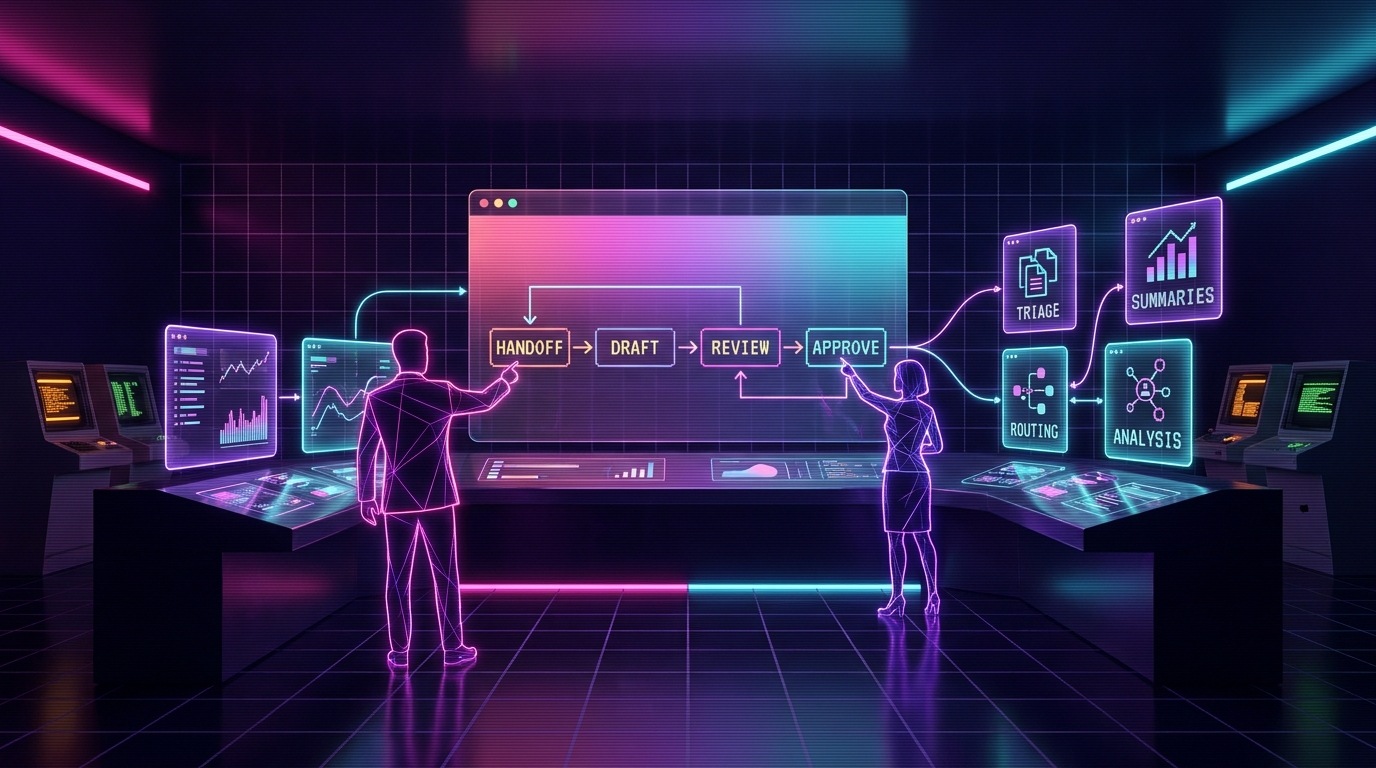
Agents alongside humans means using AI to take work off the team without taking authority away from people. The best pattern is simple: AI drafts, searches, summarizes, routes, watches queues, and prepares decisions. Humans approve, coach, own judgment, and handle edge cases. This works because most teams are buried in repeatable admin, not short on talent. Start with one workflow, keep the agent in draft mode, measure time saved and error rate, then expand only after the team trusts it. AI without replacing employees is a workflow design choice, not a slogan.
What does agents alongside humans mean?
Agents alongside humans means AI handles repeatable prep work while people keep authority over decisions. The agent drafts, summarizes, routes, monitors, searches, and recommends. The human approves, corrects, escalates, and owns the calls where judgment, trust, or risk matters.
That is the whole thesis of Cronk Ai Agents: replace nothing, multiply everyone. The strongest AI systems do not start by asking which employee can be removed. They ask which repeat task is stealing time from a good employee every single day.
Most companies do not need a robot boss. They need a patient assistant that reads the queue, gathers the facts, drafts the next step, and gets out of the way when the work needs a human.
The wrong question is "who can AI replace?"
"Who can we replace?" sounds efficient in a spreadsheet and dumb inside a real business. It creates fear, hides workflow knowledge, and turns the people who understand the process into quiet opponents of the project.
The better question is: what work keeps our best people from doing their real job? That is where AI belongs first.
A support rep's real job is not copying tracking links out of Shopify. It is calming a frustrated customer, spotting a policy edge case, and protecting the brand. A designer's real job is not resizing twelve ad variants. It is taste, direction, and judgment. An operator's real job is not pasting numbers into a daily report. It is noticing what changed and deciding what to do next.
The practical standard
If the task is repetitive, factual, reviewable, and reversible, AI can probably help. If the task is high-trust, high-risk, emotional, legal, financial, or irreversible, AI can prepare the room but a human should own the final call.
Human-in-the-loop is not enough
People say "human-in-the-loop" like it solves everything. It does not. Sometimes it means the AI makes a mess and a human gets blamed for not catching it fast enough.
A better design is human-at-the-center. The agent's job is to make the human faster, clearer, and less buried. The human's job is to set standards, approve risky moves, and teach the system where it is wrong.
| Pattern | What AI does | What humans do | Why it works |
|---|---|---|---|
| AI as replacement | Tries to own the whole job | Only react when something breaks | Fast demo, ugly production risk |
| Human-in-the-loop | Acts first, asks for review on some outputs | Reviews after the system has momentum | Useful, but review burden can get sloppy |
| Human-at-the-center | Prepares, drafts, routes, and explains | Approves, coaches, escalates, and decides | Keeps speed gains without handing away judgment |
The productivity math is not headcount math
The cleanest AI win is not "we cut three people." It is "the same team finally keeps up."
If one support rep handles 80 tickets a day, an agent might draft 60 replies, attach order context, flag the five risky ones, and leave the rep with a prepared queue. The rep still decides. But the rep is no longer doing the copy-paste archaeology that burns half the day.
That changes the economics. Response time drops. Context switching drops. The rep has more time for chargebacks, angry customers, warranty nuance, retention saves, and the weird tickets that need actual care.
Same person. Better throughput. Less stupid work. That is the useful version.
Four patterns that work
You do not need a grand AI strategy to start. You need one narrow pattern that makes the team faster without making them nervous.
1. Draft-first agents
The agent prepares a reply, report, product description, outreach email, or internal memo. A human reviews and sends. This is the safest starting point because nothing leaves the building without approval.
2. Search-and-summarize agents
The agent gathers context from tickets, orders, docs, call notes, CRM records, spreadsheets, or internal wikis. It gives the human a clean summary with source links. The human spends time deciding instead of hunting.
3. Queue-and-route agents
The agent labels work, scores urgency, detects duplicates, assigns owners, and pushes edge cases to the right person. It does not solve every item. It keeps the pile from becoming invisible.
4. Watch-and-alert agents
The agent watches metrics, inboxes, inventory levels, reviews, ad spend, broken links, or late orders. It alerts humans when something crosses a threshold. This is boring, which is exactly why it pays.
How to introduce AI to a nervous team
If your team hears "AI rollout" and thinks "layoffs," you already lost trust. Say the policy out loud: this project is about removing repeat work, not removing people.
Then prove it with the rollout shape. Put the agent in draft mode. Let the team see every output. Ask them what it got wrong. Use their corrections to improve the rules. Publish the first win as time returned to the team, not labor removed from payroll.
The fastest way to get adoption is to make the agent useful to the person doing the job. If the support rep ends the day with less queue anxiety, they will tell you what to build next. If they feel inspected, replaced, or managed by a chatbot, they will quietly route around it.
The trust-building cycle
Trust is not a meeting. It is a loop.
- Observe. Watch the current workflow before changing it.
- Draft. Let the agent prepare work with no sending power.
- Review. Have the team correct outputs and mark edge cases.
- Measure. Track time saved, correction rate, escalation rate, and missed issues.
- Promote carefully. Give the agent more authority only for work it consistently handles well.
This matches the autonomy ladder from the AI safety guide. Agents should earn more responsibility. They should not get it because a demo looked clean.
What this looks like by department
| Team | Agent helps with | Human keeps | First metric |
|---|---|---|---|
| Support | Draft replies, order lookups, refund suggestions, ticket routing | Angry customers, policy exceptions, refunds above limits | First-response time |
| Marketing | Briefs, variants, repurposing, research, asset checklists | Positioning, taste, final copy, campaign calls | Approved drafts per week |
| Ops | Daily briefs, anomaly flags, inventory alerts, vendor follow-ups | Priority calls, vendor negotiations, process changes | Issues caught before escalation |
| Finance | P&L summaries, spend flags, refund analysis, cash snapshots | Payments, filings, forecasts, financing decisions | Manual reporting hours saved |
Where this goes wrong
AI alongside humans fails when the system is built around management fantasy instead of workflow reality. The symptoms are easy to spot.
- The agent gets write access too early. It can send, refund, publish, or edit before the team trusts the output.
- The workflow has no owner. Nobody knows who corrects the agent or approves exceptions.
- The team was not involved. The people with process knowledge get handed a finished system and told to adapt.
- The metric is labor reduction. Everyone hears the real message and stops helping.
- The agent has no off-ramp. Edge cases do not escalate cleanly, so humans inherit confusion.
The fix is simple but not always easy: start smaller, keep people close to the loop, and measure whether the agent makes the human's day better.
A sane rollout plan
Pick one painful workflow. Keep it narrow enough that everyone can explain success in one sentence.
- Week 1: map the work. Watch the queue, collect examples, define bad outputs, and name the approval points.
- Week 2: draft mode. Agent prepares outputs. Humans review everything. Nothing sends automatically.
- Week 3: measure and tune. Track acceptance rate, correction types, time saved, and escalation misses.
- Week 4: limited promotion. Only low-risk cases get automation. Everything else stays human-approved.
That is slower than the pitch-deck fantasy. It is also how you avoid breaking trust with the team while still getting the win.
Frequently asked questions
What does agents alongside humans mean?
Agents alongside humans means AI handles repeatable prep work while people keep authority over judgment, approvals, customer nuance, and edge cases. The agent drafts, summarizes, routes, searches, monitors, and recommends. The human decides when the decision matters.
How do you add AI without replacing employees?
Start with one workflow that already overloads the team, keep the AI in draft or read-only mode, measure time saved and error rate, and require human approval for customer-facing, money-moving, or risky actions. Make the agent remove admin before it gets more authority.
What jobs should AI agents do first?
Good first jobs are drafting support replies, summarizing customer histories, routing tickets, preparing daily ops briefs, flagging anomalies, organizing research, and turning messy inputs into clean review queues. These are high-volume tasks with clear human review points.
How do you get employees to trust AI agents?
Let employees review the agent's work before customers ever see it. Track corrections, show where the agent saves time, keep a visible escalation path, and let the team help write the rules. Trust comes from useful drafts and predictable boundaries, not from a launch announcement.
When should humans stay in control?
Humans should stay in control of legal, medical, tax, payroll, hiring, firing, public statements, major refunds, vendor payments, pricing changes, and irreversible production changes. AI can prepare context for those decisions, but people should approve the final move.
Key takeaways
- Agents alongside humans means AI prepares work while people keep judgment and authority.
- The best first use cases are repetitive, factual, reviewable, and reversible.
- Do not sell AI to the team as a layoff machine. Use it to remove repeat admin.
- Start in draft mode, measure corrections, and promote autonomy only after trust is earned.
- Support, marketing, ops, and finance all benefit when agents gather facts and humans decide.
- If a task would require manager approval from a junior employee, require human approval from the agent.
- Replace nothing. Multiply everyone.
Related reading
Want AI that helps the team instead of spooking it?
The intake gives us enough context to find one narrow workflow, define the approval points, and build an agent your team can actually trust.
Start the intake →